
What Is a Skill?
Understand the concept and decide if it's for you
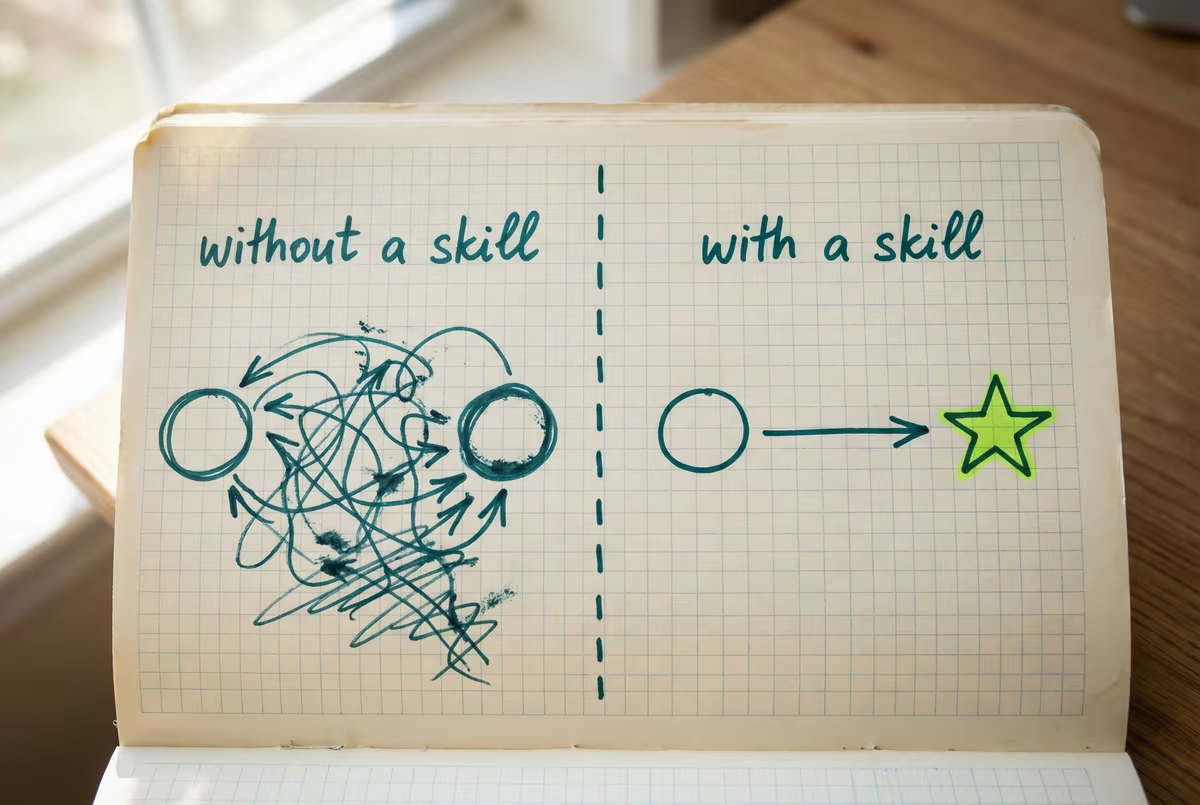
The idea
A skill is a feature built into most major AI tools today — Claude, Codex, Cursor, Windsurf, and 30+ others. It’s a way to teach AI a specific task so it does the job your way, every time, without you re-explaining.
Think of it as a reusable prompt with structure — clear rules, examples, and triggers so AI gets it right the first time. Under the hood it’s just a folder with files, but you don’t need to worry about that yet.
See the difference
Without a skill
5 back-and-forth messages to get a status report in the right format. “No, use bullets.” “Shorter.” “Add the next-steps section.” “That’s not how we do headers.”
With a skill
“Write me a status report” → done, first try, your format. The AI already knows your structure, tone, and rules.
Typical AI conversation
With a skill loaded
Three things a skill does
Activates automatically when the task matches — you don't have to ask for it
Loads only when needed — doesn't waste AI's attention on irrelevant stuff
Works across tools — Claude, Codex, Cursor, Cowork, and 30+ more
Skills are not yet available in ChatGPT
Coming early 2026 — codename Hazelnuts
You don’t have to wait. The thinking behind skills works everywhere, and you can get most of the benefits in ChatGPT today:
- →Custom GPT instructions — copy your skill’s rules into a Custom GPT’s system prompt. It follows them on every conversation.
- →Project instructions — paste your rules into a ChatGPT Project as pinned context. Loads automatically for every chat in that project.
- →Paste-in prompt — copy the instructions at the start of any conversation. Less elegant, but works right now.
Everything you learn in this course makes your AI results better, regardless of tool.
Is it worth the effort?
| Metric | Without Skill | With Skill |
|---|---|---|
| Messages to complete task | 8–15 | 1–3 |
| Correction rounds | 2–4 | 0–1 |
| Time per task | 10–15 min | 2–3 min |
Illustrative figures based on internal testing with document-creation tasks (status reports, content briefs, email drafts). Your results will vary.
Takeaway: A skill is a reusable prompt with structure — clear rules, examples, and triggers so AI gets it right the first time. If you’re re-explaining the same thing every conversation, that’s a skill waiting to be built.
Not sure if a skill is right for you?
Find your first task to skill-ify
Before we start building anything, let’s figure out which task you should turn into a skill. Paste this into your AI and have a conversation — it will help you pick the right one:
I'm taking a course on Agentic skills — reusable instructions that teach AI how to do a specific task my way using the agentskills.io standard.

Before I build one, I need to choose the right task. Help me think through this. Ask me:

1. What tasks do I currently use AI for on a regular basis?
2. Which of those tasks frustrates me most or takes the most time when the output isn't right?
3. For that task, do I end up re-explaining the same rules every time?

Then tell me whether that task is a good candidate for a skill, and why or why not. If it's too broad (like "help me with emails"), help me narrow it to something specific (like "write a client follow-up email in my tone").

Don't build anything yet — just help me pick the right task. The end result should be the description of the task to use later when building a skill with the help of AI.
Save whatever task you land on — you’ll use it in the next lesson to build your first skill.
Need help bringing this to your team?
We work alongside your team to build AI-native workflows — from one-week sprints to full engineering acceleration. No handoffs, no slide decks.
Talk to us